
FETCHPlugin management
Less searching.More making.
Bring your plugin collection into one clear view. Find what you have, keep a backup, and take care of what you no longer use.
One-time purchase · One seat · Updates included
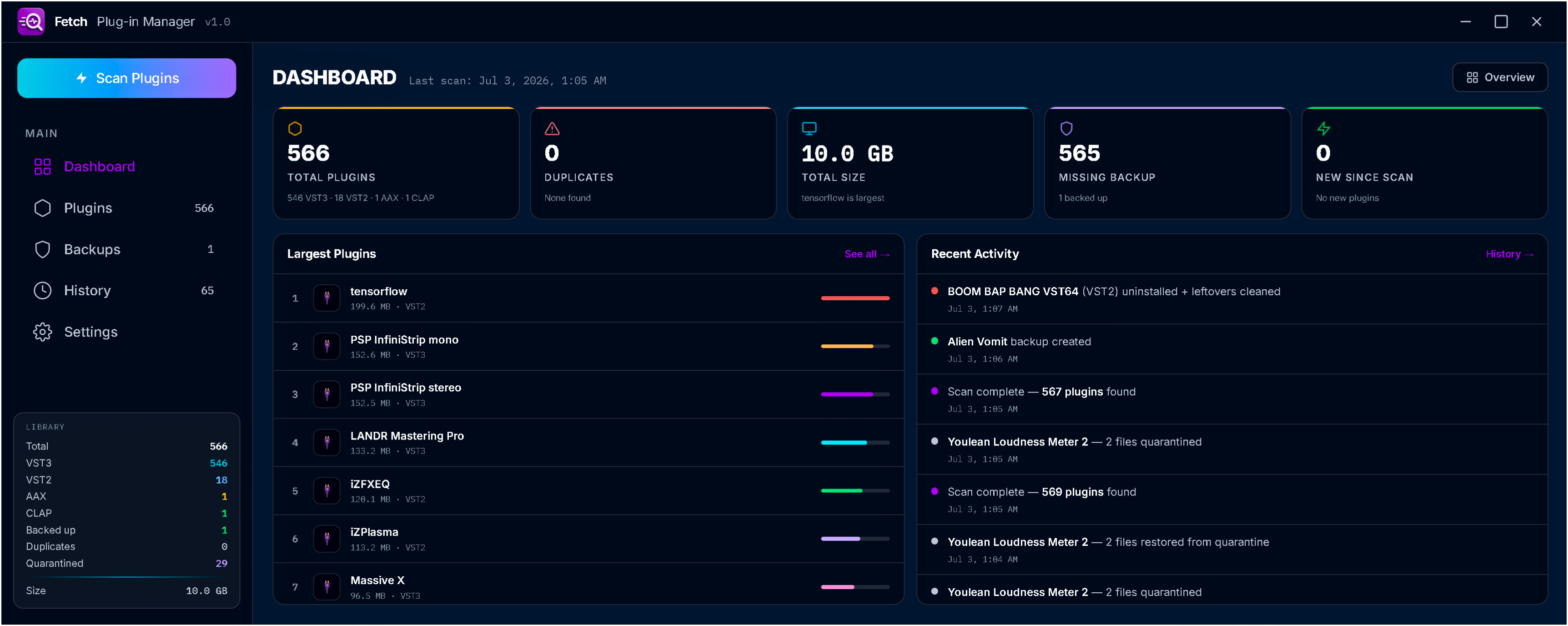
Know what
you’re working with.
One library across your plugin folders. No DAW needs to be open.
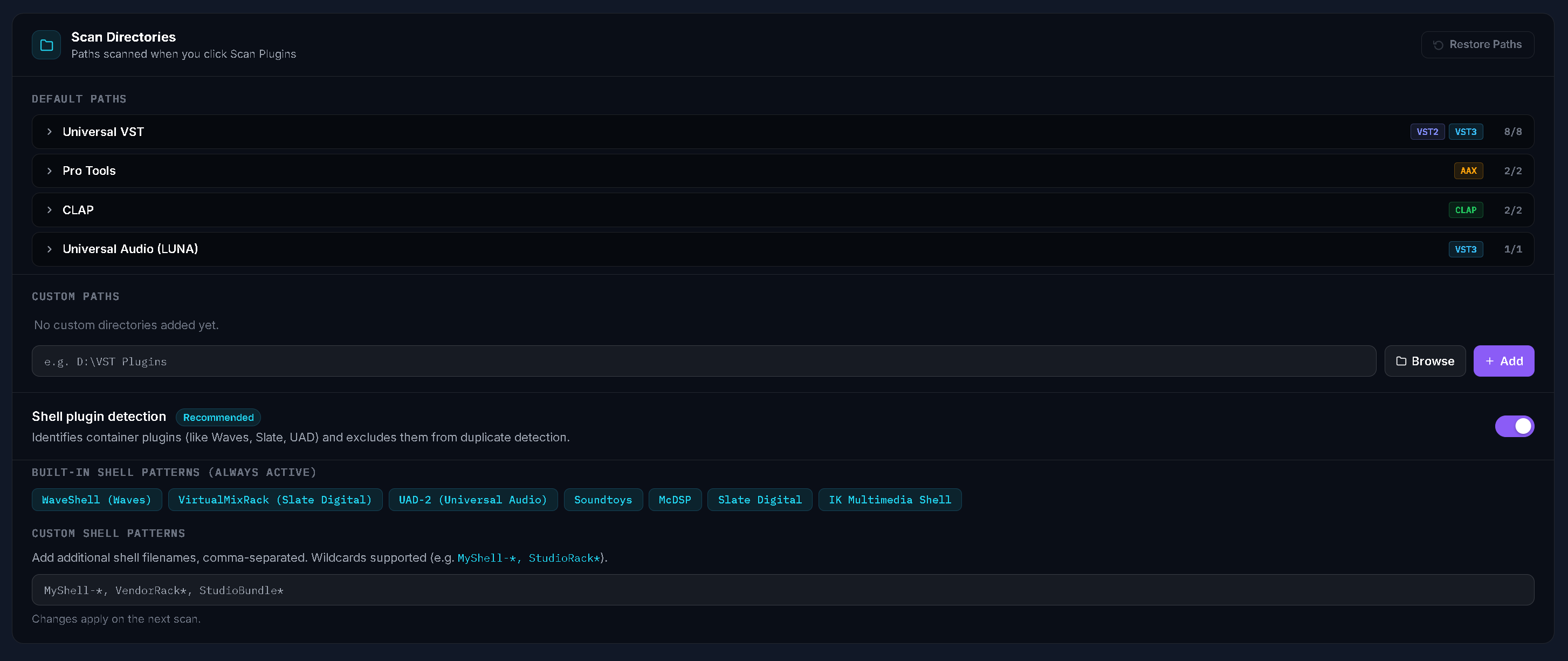
Default scan paths, custom directories and shell detection keep the scan focused on your collection.
View full size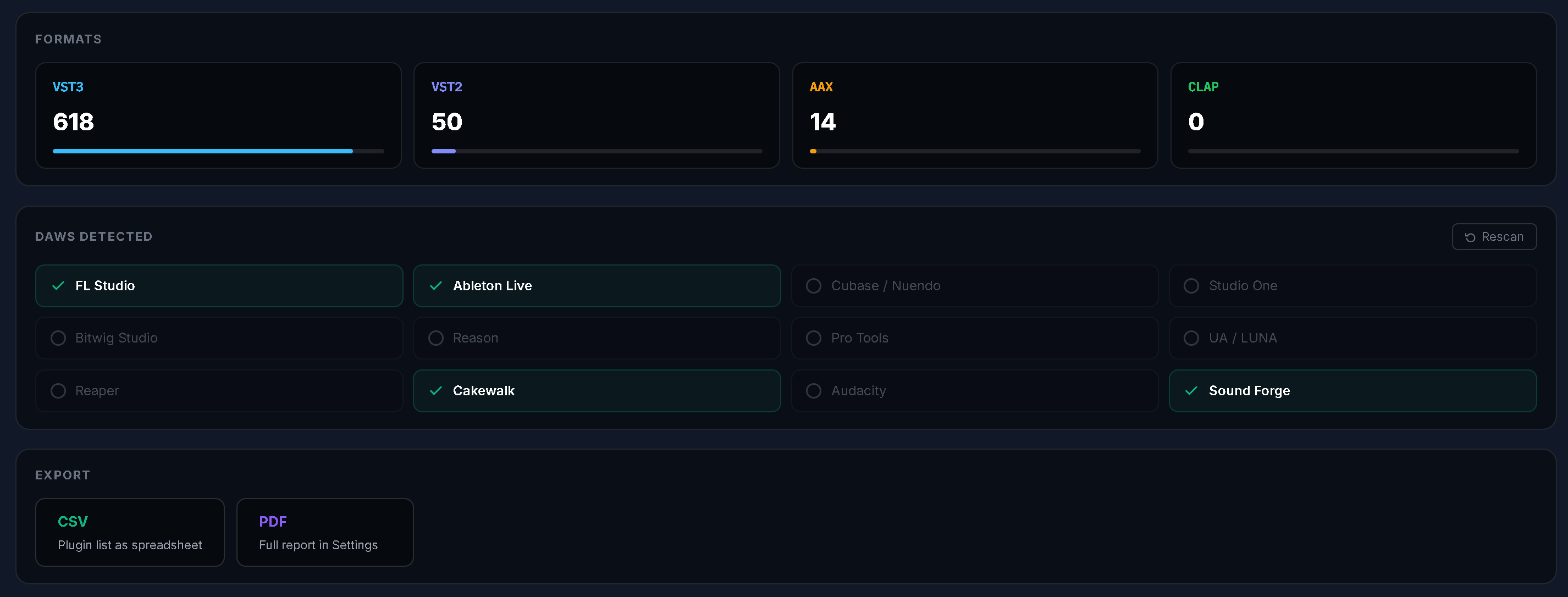
Format totals, detected DAWs and CSV/PDF export options, together in the library overview.
View full size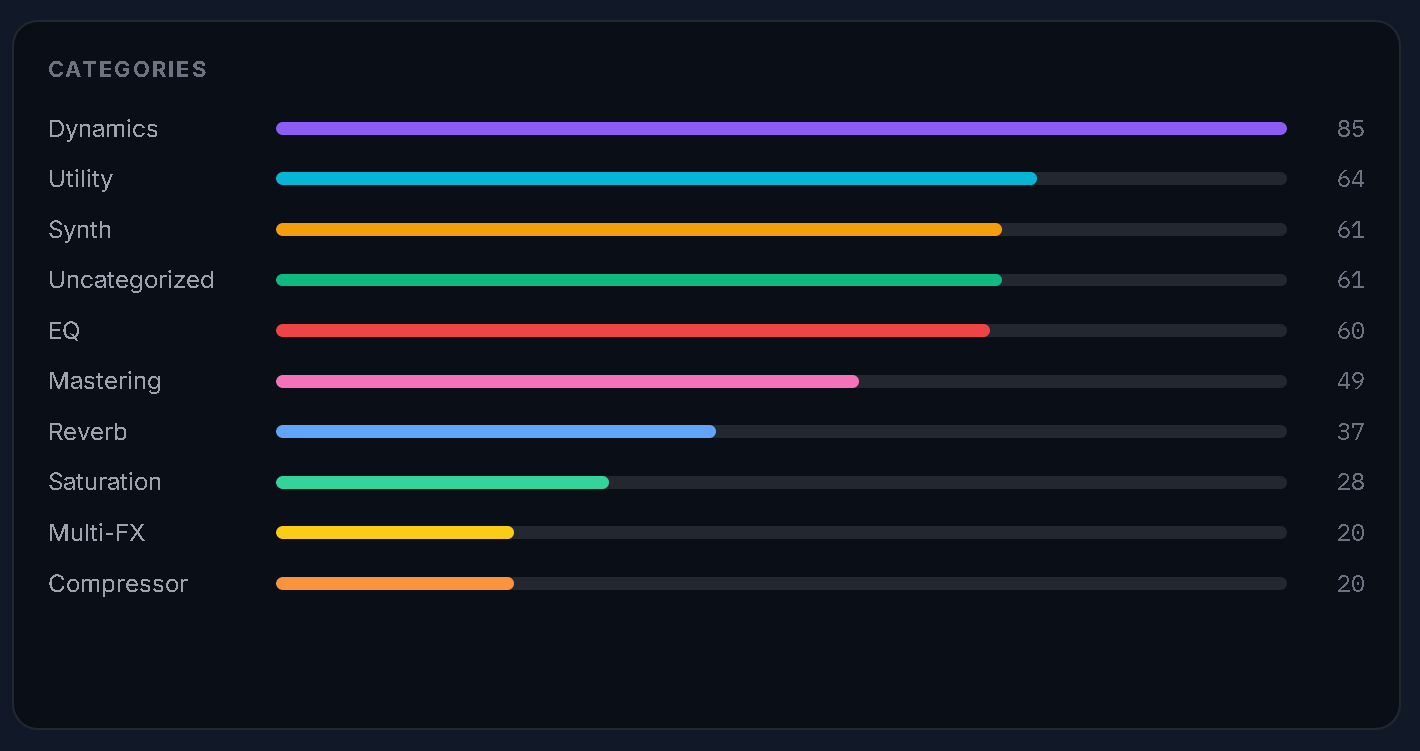
A category breakdown gives you a clearer view of the tools in your library.
View full size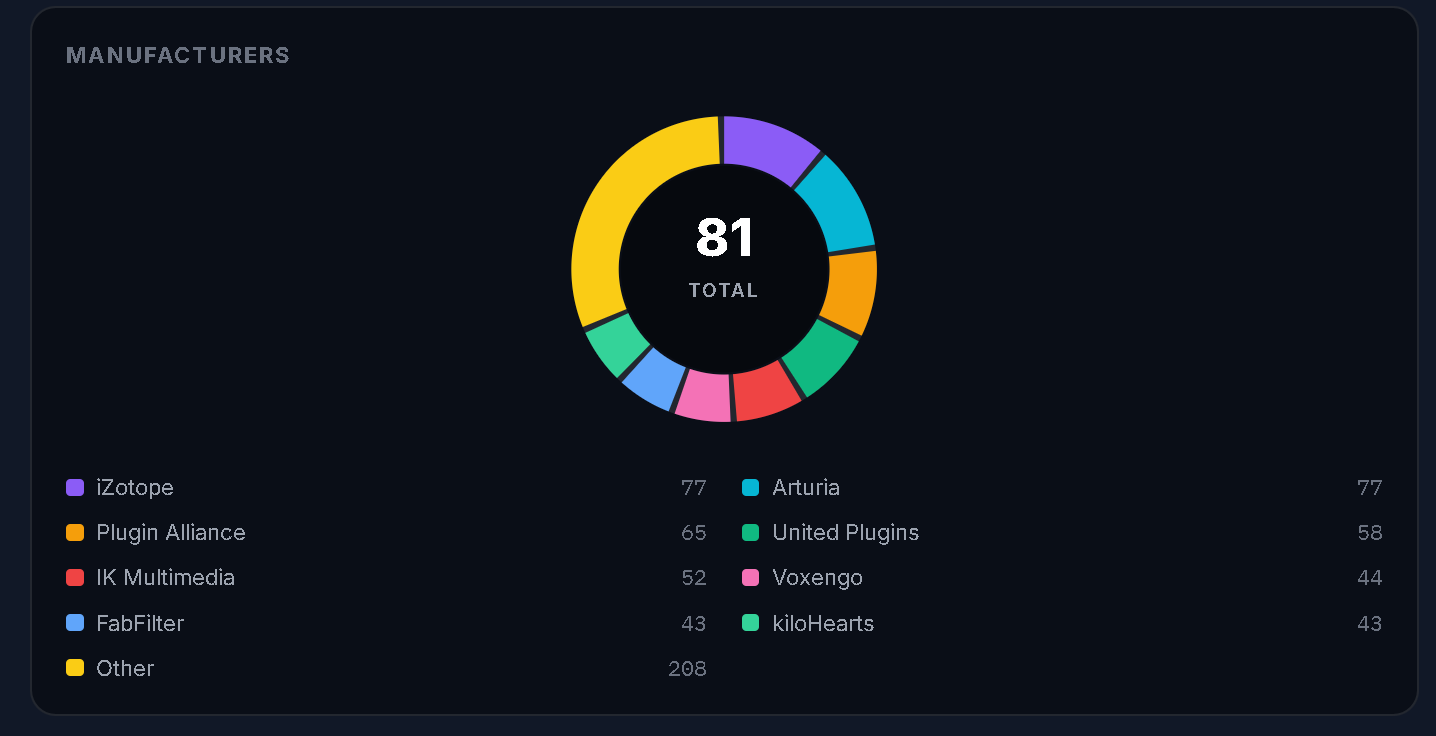
Manufacturer totals and their share of the scanned collection, in one view.
View full sizeSee what’s left.
Decide what goes.
Removing a plugin can leave presets, data and cache entries behind. FETCH helps you review those files.
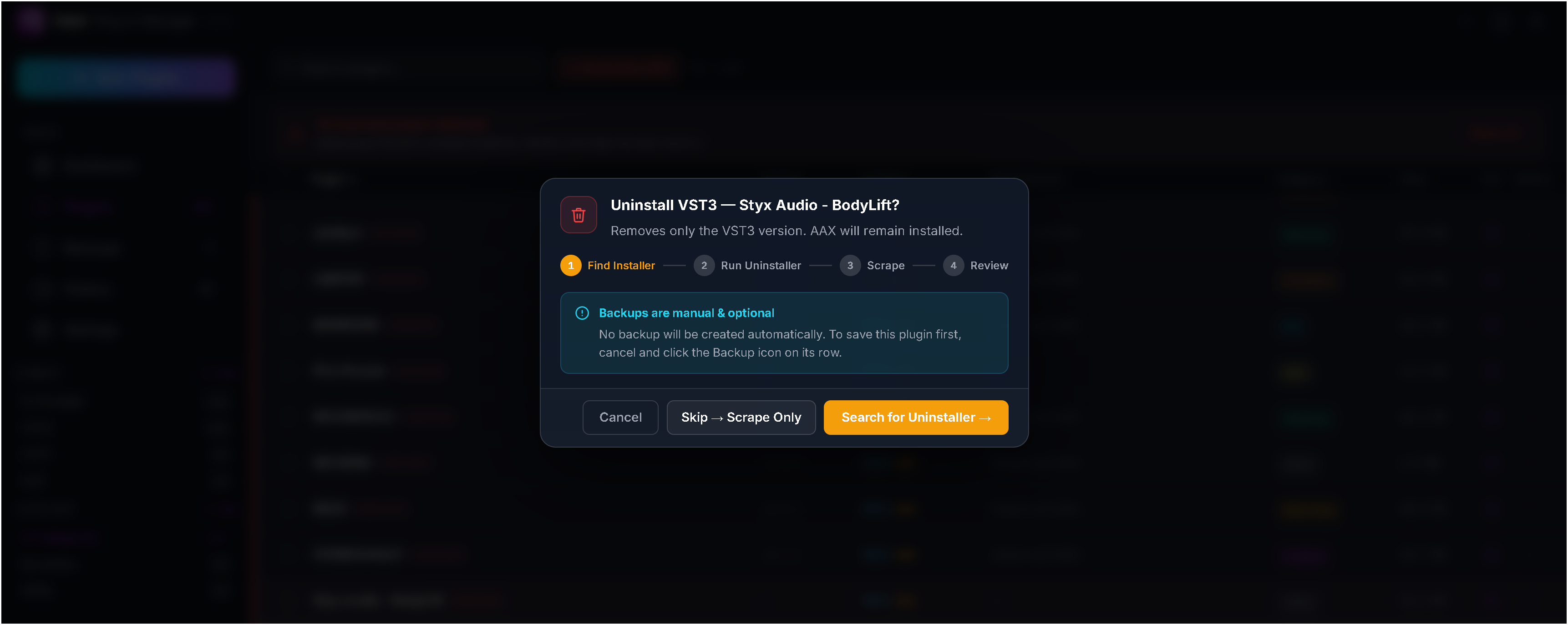
Review the selected format and what will remain installed. Create a backup manually before continuing if you want one.
View full size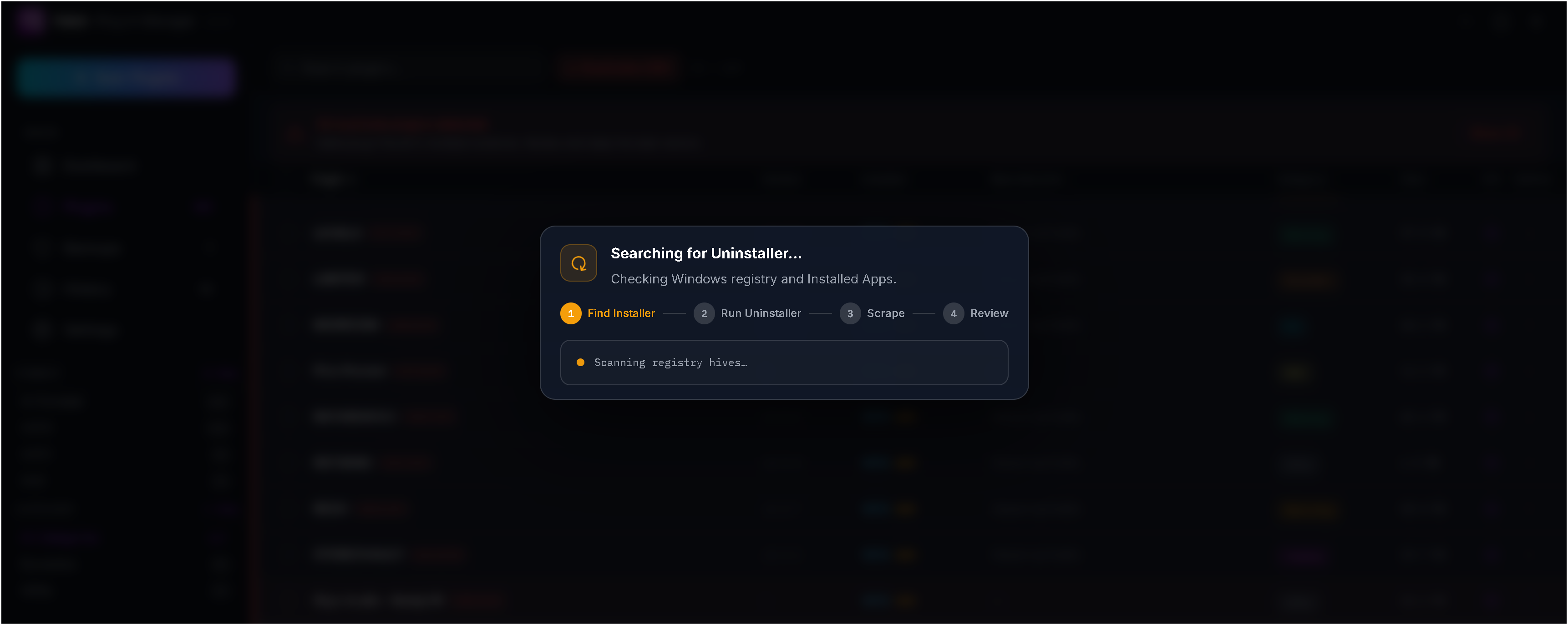
The search checks for a native Windows uninstaller before the leftover review.
View full size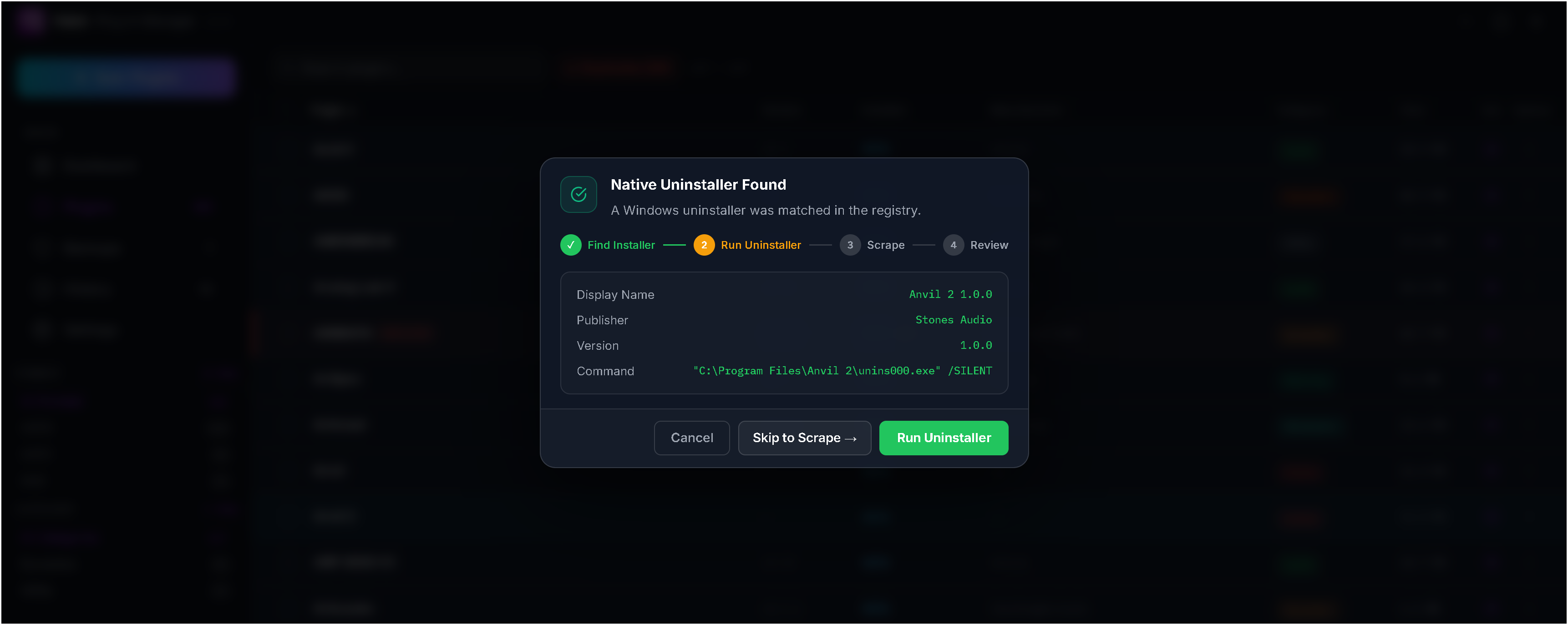
Check the publisher, version and command before running the matched uninstaller.
View full size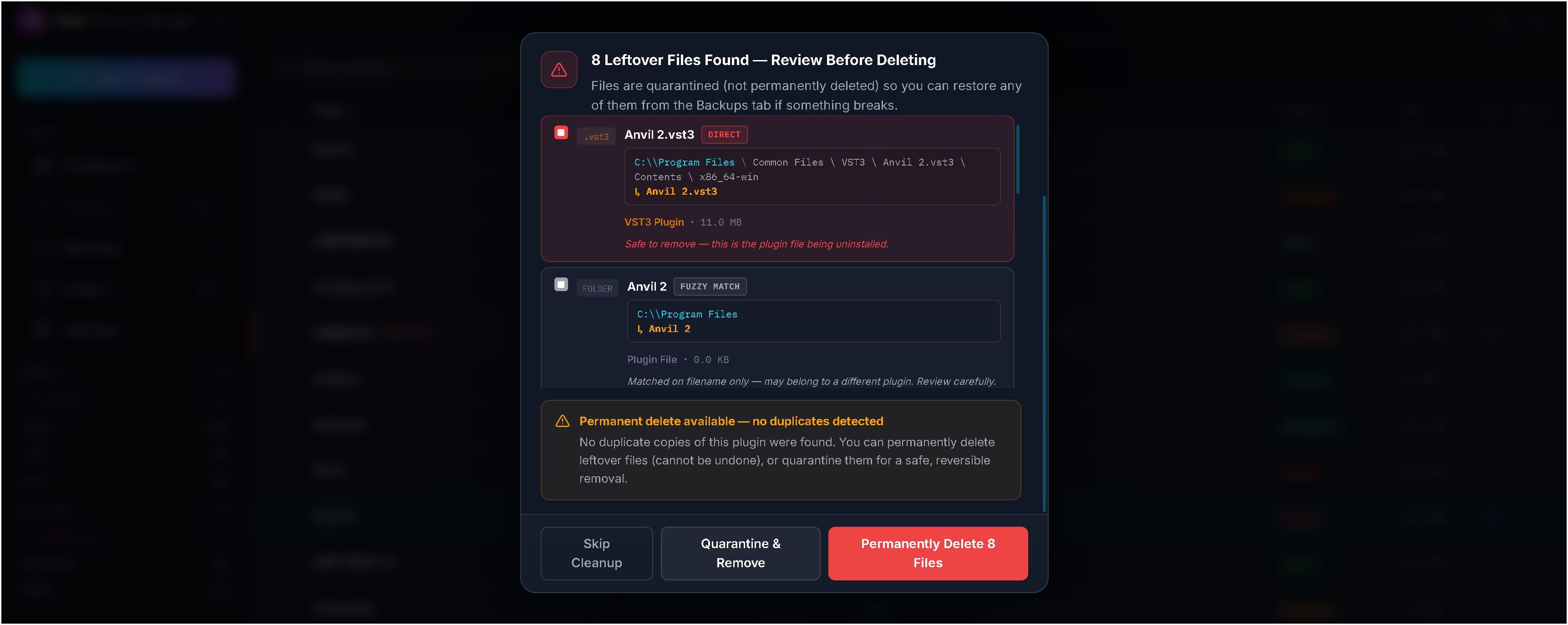
Review each path and match type before removing files. A name-only match may belong to another plugin. Quarantine and permanent deletion are separate choices.
View full sizeMake a change.
Keep a way back.
Create a backup before making changes, quarantine files you may need again, and restore them later. Keep an exportable activity history, with permanent deletion as a separate choice.
Fits your setup.
Stays yours.
FETCH is a standalone Windows application for managing audio plugins. It works directly with your plugin folders.
Read the documentationDo I need a DAW open?
No. FETCH scans folders directly and runs on its own. It manages VST2, VST3, AAX and CLAP files used by your audio software.
Does quarantine delete a plugin?
Quarantine moves the selected files to an isolated location. You can restore them to their original path. Permanently deleting a quarantine entry is a separate action.
Is a plugin backup a complete reinstall?
A plugin may also depend on sample libraries, a vendor installer or a separate activation system. Keep those installers and license details. A file backup does not replace the vendor’s installation requirements.
Can I adjust the appearance?
Switch between light and dark themes, choose from six accent colors, and adjust the interface scale.
Is this a subscription?
No. Your purchase covers one active computer at a time, with updates included. Your collection stays local. Activate online once, then use FETCH offline. Check for updates from Settings when you’re ready.
Does it run on Mac or Linux?
FETCH currently runs on 64-bit Windows 10 and later.
Put your library
in order.
FETCH · Plugin management for Windows
$6.99 USD · Launch price
One-time purchase. One seat. Updates included.