Bring your controller.
Use note learn to assign your controller to the pads, with velocity response that follows your playing.

From the first hitto the finished take.
Start with your samples. Shape a kit that sounds like you. Play it in your DAW, or record a take in Standalone.
One-time purchase · One seat · Updates included
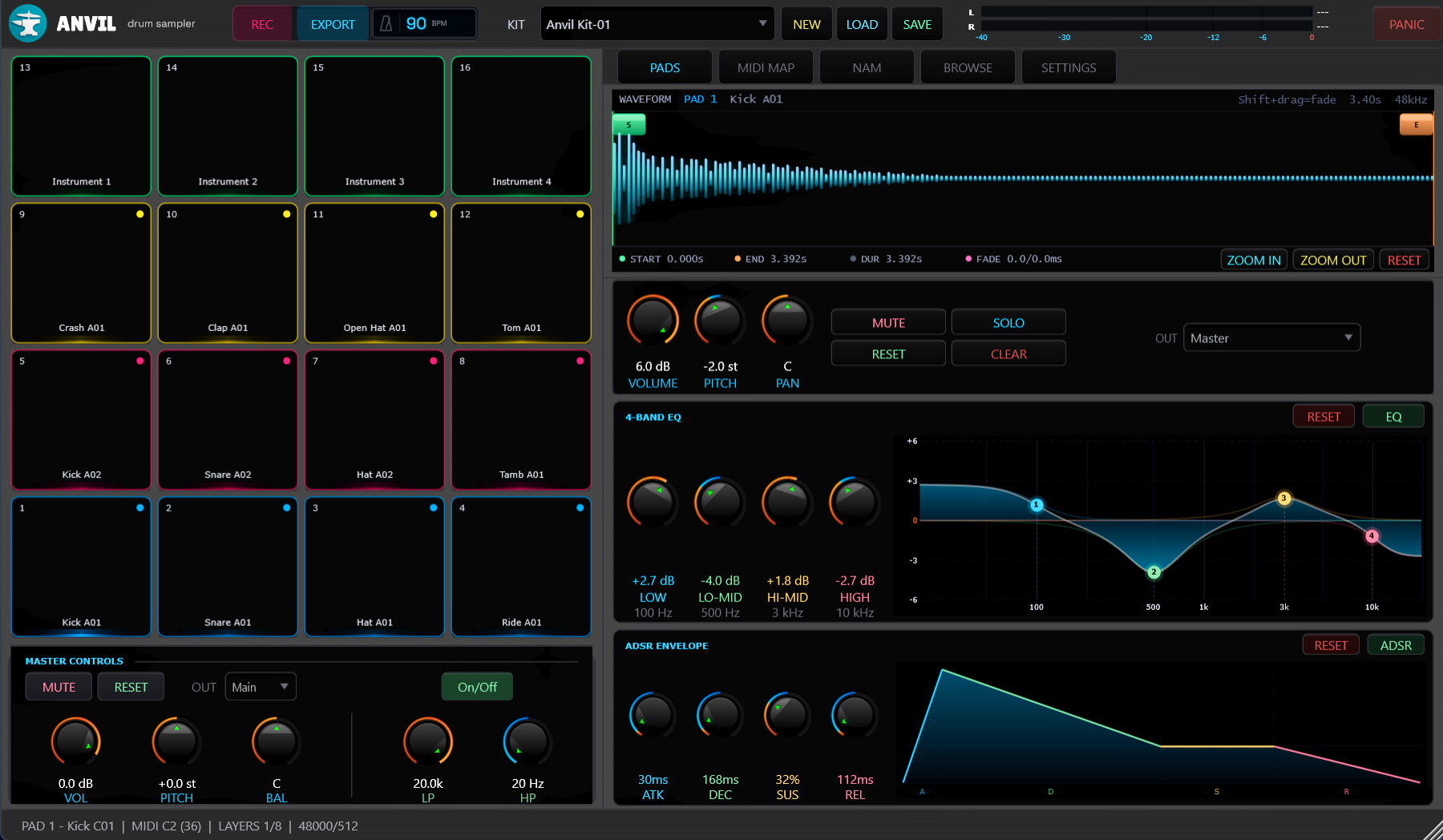
Choose your sounds. Map your pads. Build a kit that responds to the way you play.
Use note learn to assign your controller to the pads, with velocity response that follows your playing.
Preview samples in the built-in browser, or drag them in from Explorer. Sixteen pads keep each sound independently editable.
Load multiple samples onto a pad. Round-robin playback cycles through them, adding variation to repeated hits.
Save the kit for another session. If samples have moved, ANVIL helps you locate them again.
Tighten a tail. Tune a kick. Find the space for a snare. Each pad has its own tools for getting there.
Sculpt the lows, low-mids, high-mids and highs of an individual sound, with a live view of the frequency response.
Set the pad’s volume, tune its pitch, and place it in the stereo field with pan. Mute or solo the pad to hear how it sits in the kit.
Adjust the sample’s start and end points to choose exactly what plays. Hold Shift while dragging either marker to add and adjust a fade-in or fade-out, helping reduce clicks and pops.
Set the attack, decay, sustain and release. Give a hit a softer entrance or a shorter tail without changing the rest of the kit.
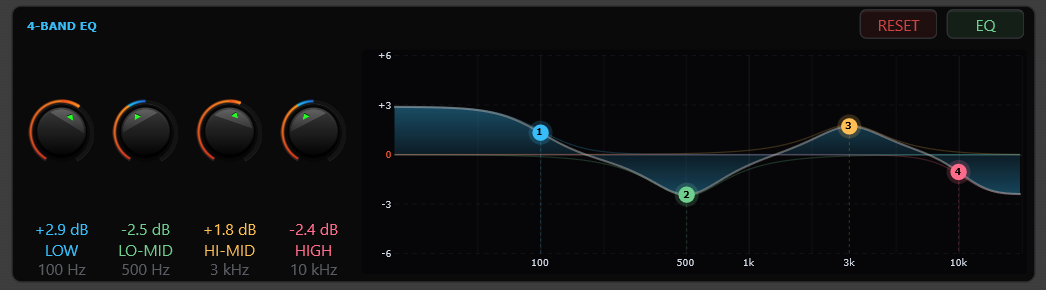
Four bands. A clear view of every adjustment.
View full sizeLoad a NAM capture and choose which pads run through it. Add an impulse response, blend it with the IR mix control, and save the settings with your kit.
Hear the same phrase with the processing off and on. Switch between Original and Analog without losing your place.
Link a kick to a sub, or a snare to a clap. One pad triggers the other, while each keeps its own sound shaping.
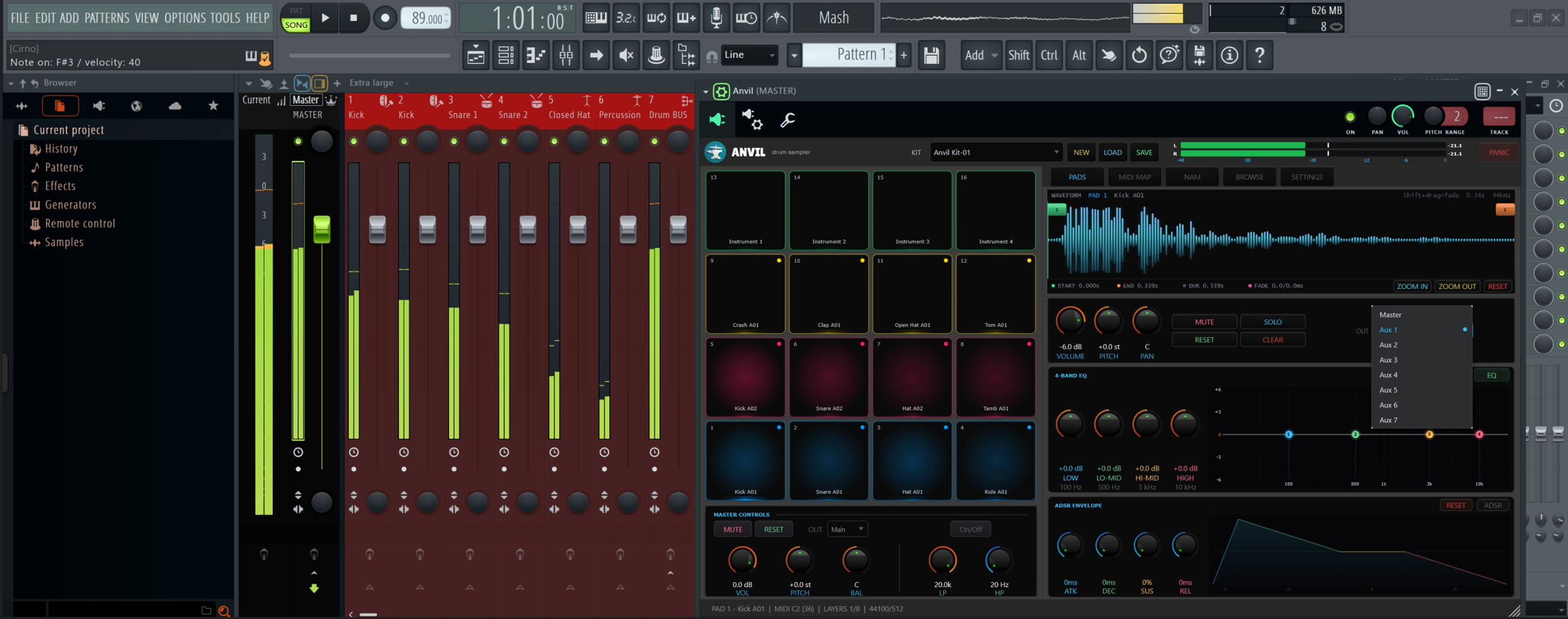
ANVIL in FL Studio, with per-pad output choices in view.
View full sizeSend pads to Main and Aux 1–7. Choose an output for each pad and bring your sounds into the DAW mixer where you want them.
Give a kick its own processing, shape a snare on a separate channel, or bring several pads together on one bus. Use your DAW’s effects to build the mix around your kit.
Routing stays with your DAW project. Load a different kit without disturbing the mixer setup you’ve built, so you can try new sounds with your channels already in place.
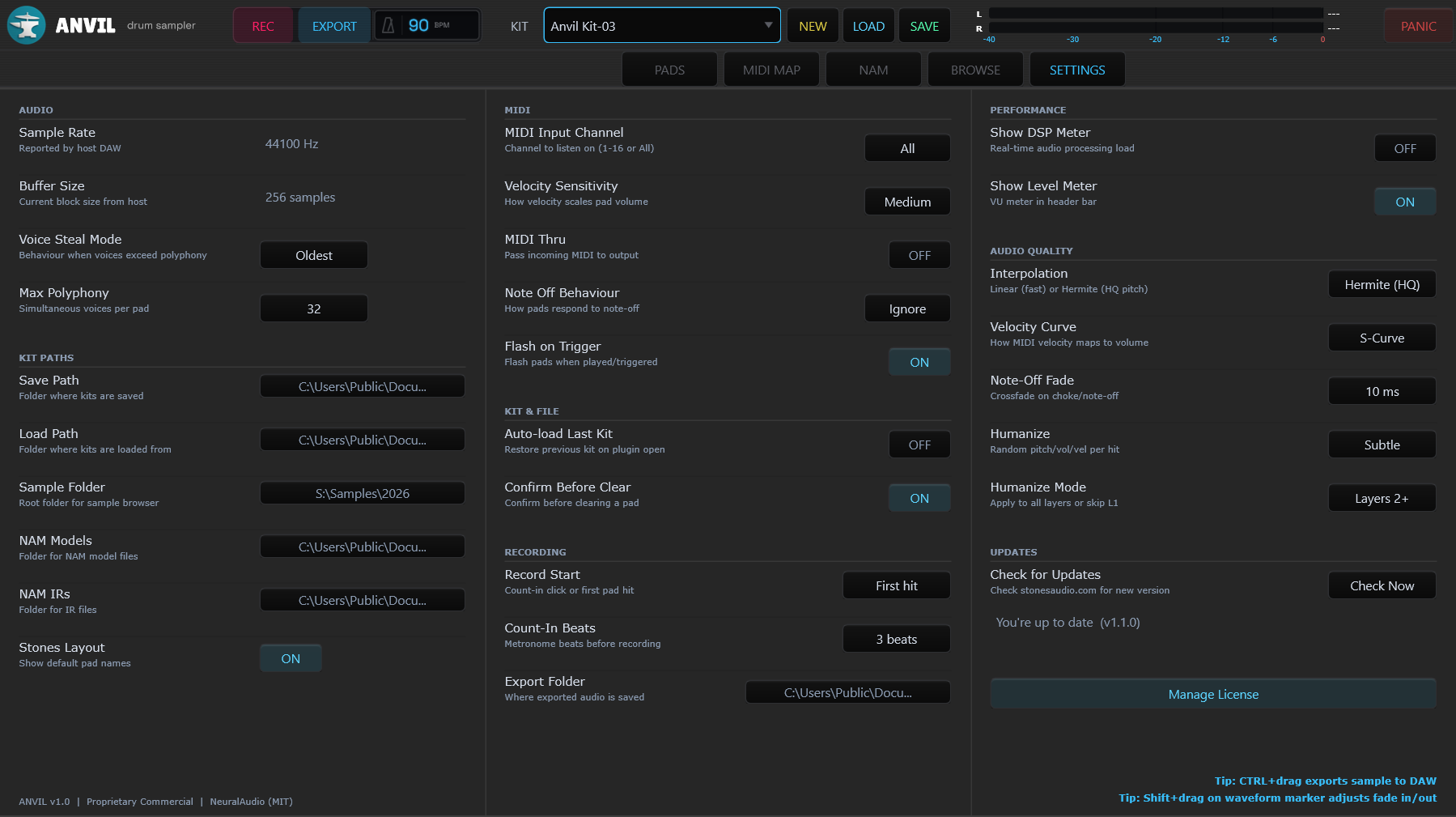
Standalone shown, with its dedicated recording controls.
View full sizeAdjust velocity response and pad dynamics. Choose Linear playback for lower CPU use or Hermite (HQ) for smoother pitched samples.
Add pitch, volume and velocity variation to repeated hits. Apply it to every layer, or keep the first round-robin layer unchanged.
Choose your kit and sample folders, plus the paths for NAM models and impulse responses.
In Standalone, start with a count-in or your first pad hit. The metronome stays out of the recording.
Check for updates when you choose. Activate once to work offline, and deactivate this computer when you want to move your seat.
ANVIL runs as a VST3 instrument or a Standalone application on 64-bit Windows 10 and 11.
Read the documentationYou’ll need a host that supports VST3 instruments. ANVIL has been tested in FL Studio, Ableton Live, Bitwig Studio, Reaper and Serato Studio. Pro Tools requires AAX, which ANVIL does not provide. You can also use Standalone without a DAW.
Standalone records your take and exports WAV at 16-bit, 24-bit or 32-bit float, or FLAC at 16-bit or 24-bit. Silence trimming and TPDF dither are available in the export options.
Activate once with an internet connection, then use ANVIL offline. Your license covers one active computer at a time. In-app deactivation frees the seat when you move to another computer.
Your kit retains its sounds and NAM settings. Output routing is saved with the DAW project, so changing kits leaves your mixer routing in place. If a sample file has moved, ANVIL lets you locate it again.
ANVIL · VST3 instrument + Standalone
$19.99 USD · Launch price
One-time purchase. One seat. Updates included.