



$19.99 USD
Forged, not assembled.Built for the craft.
Instruments that shape your sound.
Utilities that keep your session moving.
ANVILDrum sampler
Every hit.
Entirely yours.
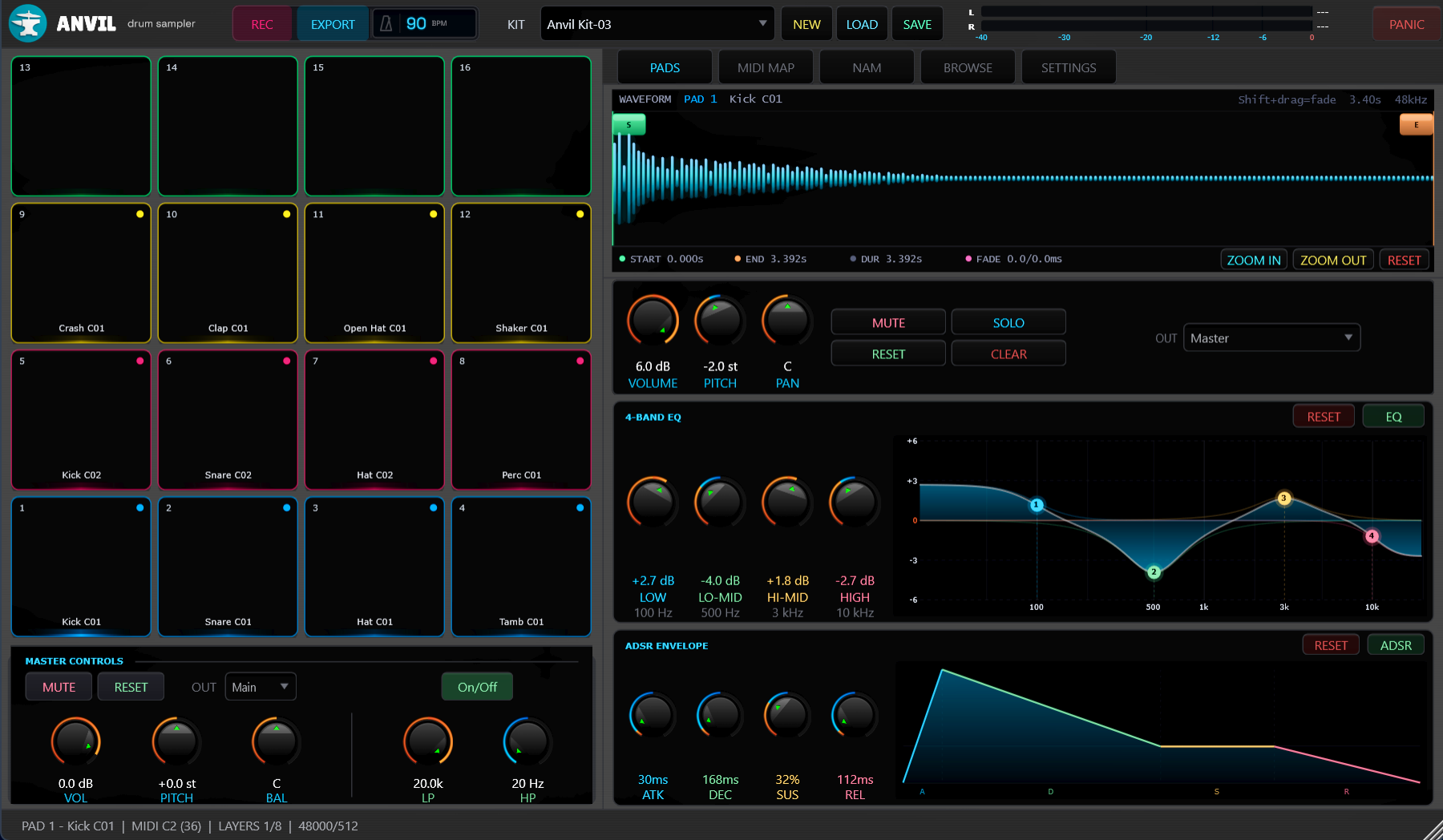
Sixteen pads. Independent sound shaping. From the first sample to the finished take, keep your hands on the sound.
One-time purchase
Explore ANVILANVIL in motion
Main interface. Select a view or open the image for a closer look.
A signal chain for every pad.
Shape pitch, filters and four-band EQ independently. Route sounds to eight stereo output buses.
Character, on your terms.
Load Neural Amp Modeler profiles per pad or on the master. Link pads without giving up separate control.
Catch the take.
Record in Standalone and export WAV or FLAC. Go from playing to a finished stem without opening a DAW.
FETCHPlugin management
Less searching.
More making.
Your plugin collection, in one clear view.
Find it. Organize it. Keep it backed up.
Dashboard. Library contents shown are from the supplied application capture.
A place for every plugin.
A way back when you need it.
Find the whole collection.
Scan VST2, VST3, AAX and CLAP folders. Search, filter and categorize your library with every DAW closed.
Back up what matters.
Make individual or bulk plugin backups, with timestamps and configurable retention limits.
Clean up with control.
Review leftover files before removal. Quarantine keeps removed plugins available to restore instead of permanently deleting them.
Buy it once.
Make it yours.
No subscription to keep up with. A perpetual license, one seat, and updates included.
Read the documentationWhich tool is right for me?
ANVIL is a drum sampler for making and shaping sounds. FETCH is a separate utility for managing the plugins you already own. Choose either, or use both in your workflow.
Will it work with my setup?
Both products are for 64-bit Windows. ANVIL runs standalone or in a host that supports VST3 instruments. FETCH runs independently and manages VST2, VST3, AAX and CLAP files. Check compatibility before purchasing.
How does activation work?
Your purchase includes one active computer at a time. ANVIL needs an internet connection for initial activation and works offline afterward. See the documentation for activation and moving a license.
Where can I get help?
Start with the installation guides and FAQs, or email support@stonesaudio.com with your setup and question.
$6.99 USD